It all began with a playful challenge.
One Saturday morning, I watched my son zoom his toy car around the living room and asked:
“Do you think I can make ChatGPT drive your car?”
He laughed.
“No way! ChatGPT can talk, but it can’t drive my toy!”
That was all the motivation I needed.
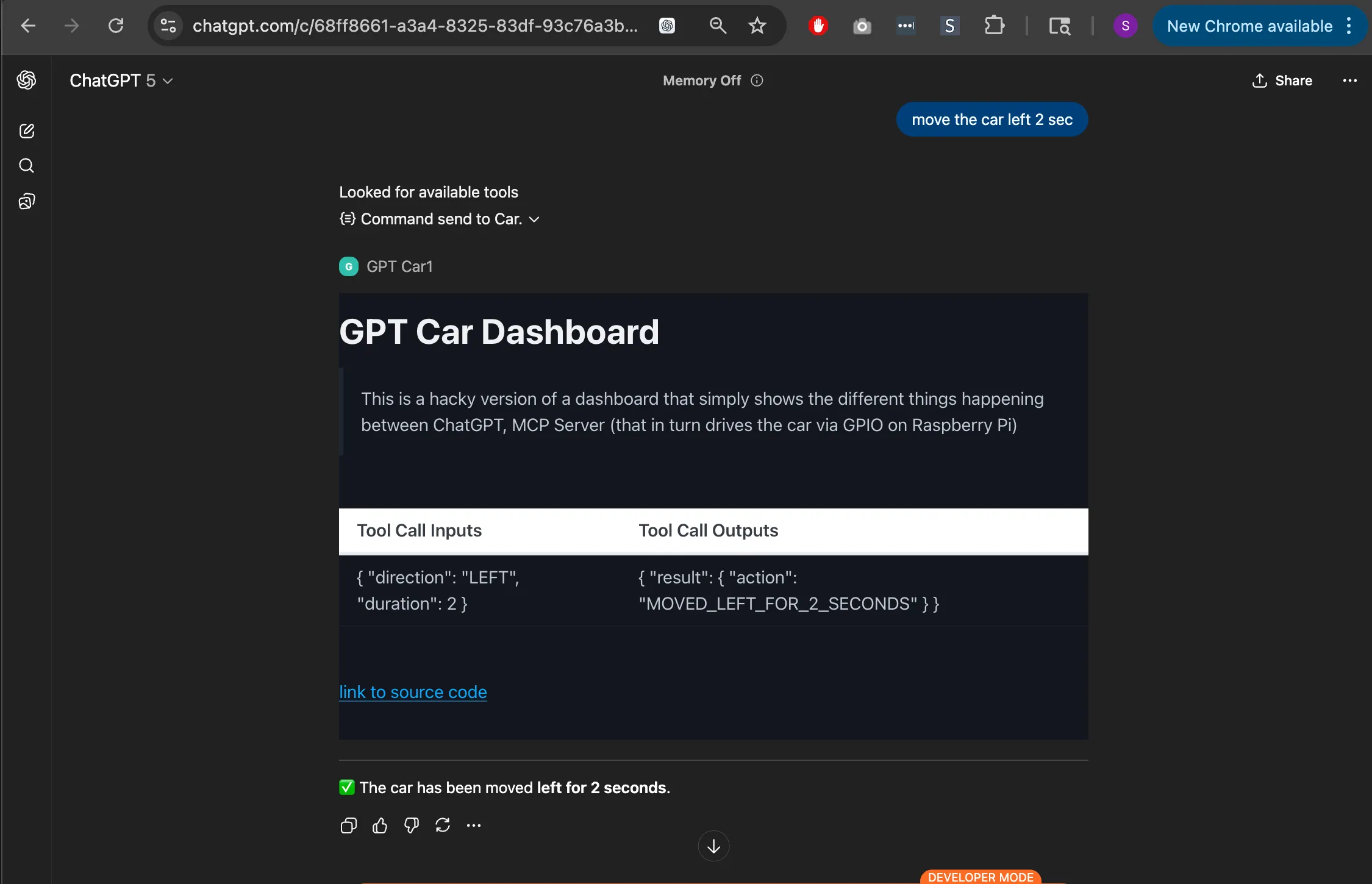
By Sunday evening, that same little car was rolling forward, turning, and stopping on my commands — powered by ChatGPT Apps SDK, a Raspberry Pi, and a small MCP server I’d built in Node.js.
What started as a weekend experiment became something much bigger: a moment of shared wonder — and a lesson in real-world tech for my son.
I completed the project end-to-end by leveraging ChatGPT for ideation and brainstorming, while using OpenAI Codex as a coding assistant to help me finish on schedule.
🧩 The Challenge
The question was simple but exciting:
Could a cloud-based AI chatbot control a physical toy?
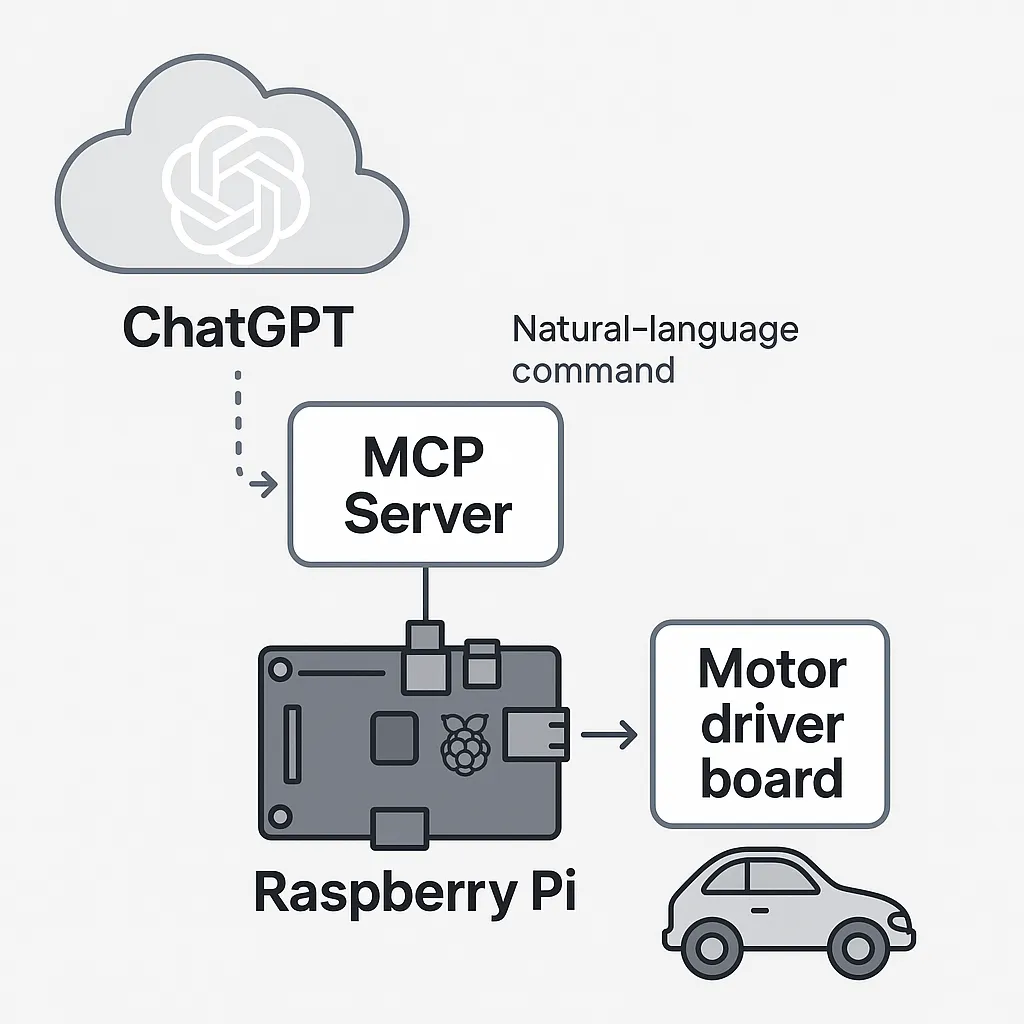
To make it happen, I had to connect two worlds:
- ChatGPT, understanding natural-language instructions in the cloud
- Raspberry Pi, operating motors in the real world
The bridge between them was a lightweight MCP (Model Context Protocol) server — a way for ChatGPT to send structured commands that the Pi could translate into motion.
You might ask, why even do this? The latency alone makes it impractical for real-time control — ChatGPT took 2–3 seconds to process commands, add network delay, and then the sluggish response of an aging Raspberry Pi. But that wasn’t the point.
This project wasn’t about efficiency.
It was about fun.
FUN > SPEED
My son didn’t care about the delay (at least, not yet). For him, seeing his toy car move on ChatGPT’s command was pure magic. And that was exactly the outcome I wanted — joy through curiosity.
(If you’re curious about the tech behind it, you can find the code and setup details here: GitHub → samsel/gpt_car)
🧱 The Real Build Challenge
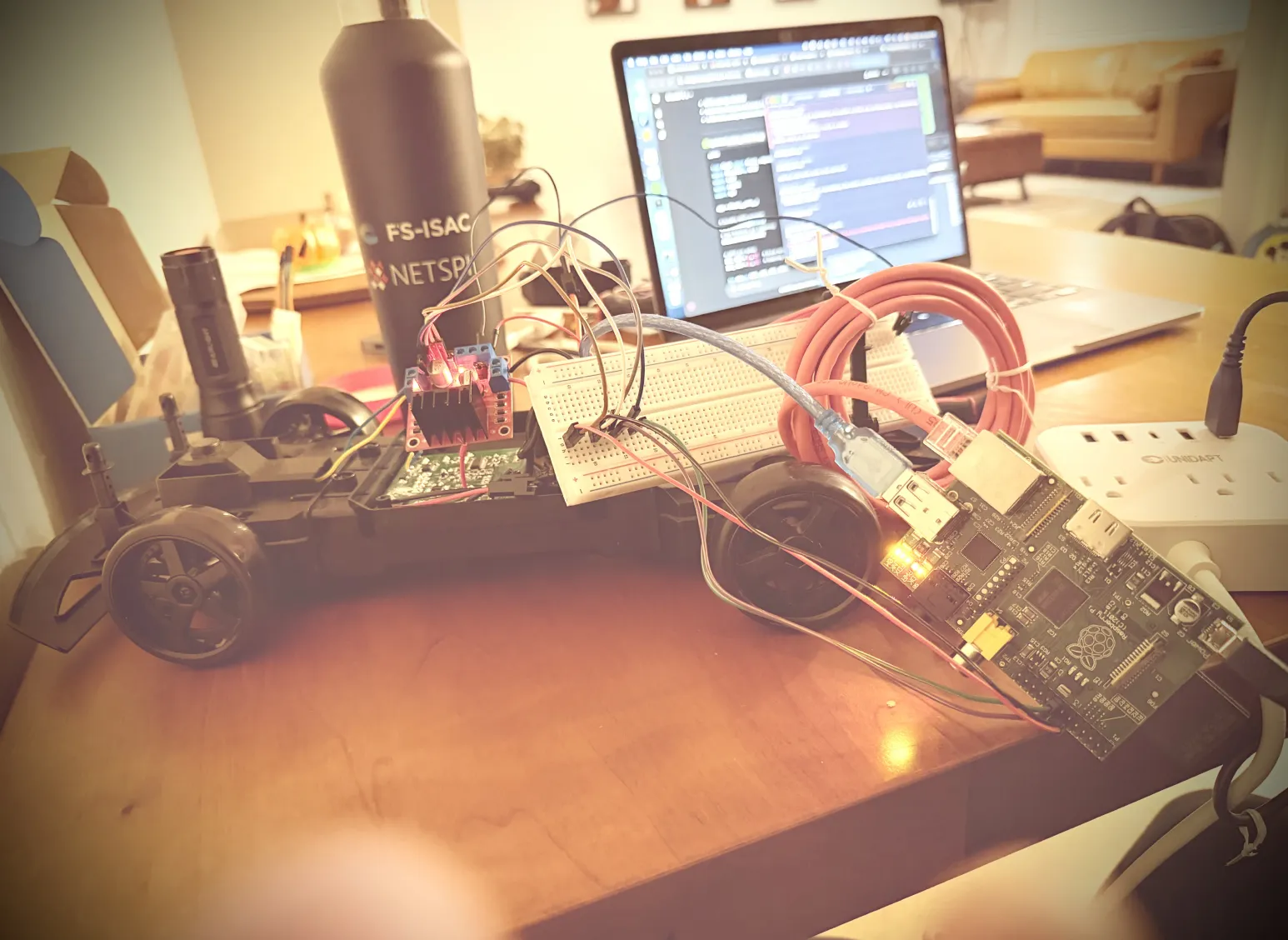
The toughest part? Making it work on a Raspberry Pi 1 — yes, the original 700 MHz model from 2013.
npm builds took ages, and running Node.js felt like pushing the limits of patience. But completing the project taught me just how powerful even old hardware can be when you understand its constraints.
It also convinced me it’s time to buy a new Raspberry Pi — I can see many more projects like this in my future.
⚙️ Building the System
The setup was simple but effective.
I used:
- An old Raspberry Pi 1
- A motor driver board
- Two DC motors from the toy itself
- A Li-ion battery pack
Node.js powered the local MCP server, while ChatGPT (Apps) connected through an ngrok tunnel endpoint to interpret natural commands like “drive forward” or “turn left.”
My son loved the analogy:
“The Pi is the brain, the motor board is the muscle, and ChatGPT is the voice.”
That framing turned the build into a teaching moment about how systems work together — hardware, software, and intelligence.
💡 The Moment of Magic
When it was ready, I called my son over.
“Watch this,” I said.
Then I asked ChatGPT:
“Drive forward for 2 seconds and turn left.”
ChatGPT replied:
“Sure — driving forward and turning left.”
And just like that, the car moved exactly as commanded.
My son froze for a moment, then burst out laughing.
“Wait… ChatGPT just drove my car?!”
That reaction — part disbelief, part joy — made every second of debugging worth it.
🚀 What’s Next
The fun didn’t stop there.
We’ve already talked about potential upgrades:
- Speed control using PWM
- Ultrasonic sensors for obstacle detection
- Maybe even a small camera so ChatGPT can “see” the road
Who knows? Maybe next time we’ll build a rover.
Full technical details and code: GitHub → samsel/gpt_car